

💡 For example: you’re preparing Try Out SNBT 2027, a tryout (practice exam) for SNBT (Indonesia’s national university entrance test) with Mathematics, Indonesian and English questions. Instead of writing all the questions by hand, you can ask the system to create 10 questions as a starting point.
1
Click Create a Question Package with Jasper AI
Open the Question Package Data menu, then click Create a Question Package with Jasper AI.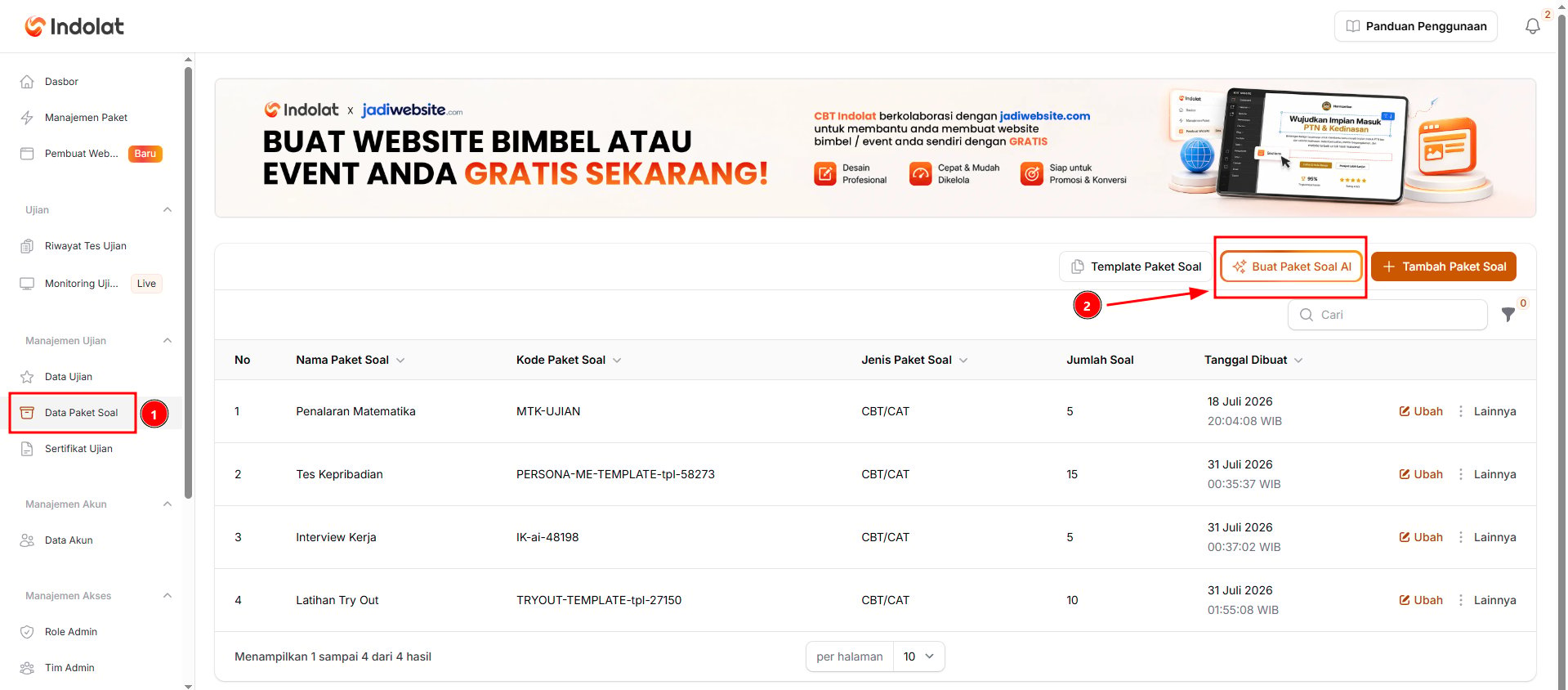
2
Fill in the question package details
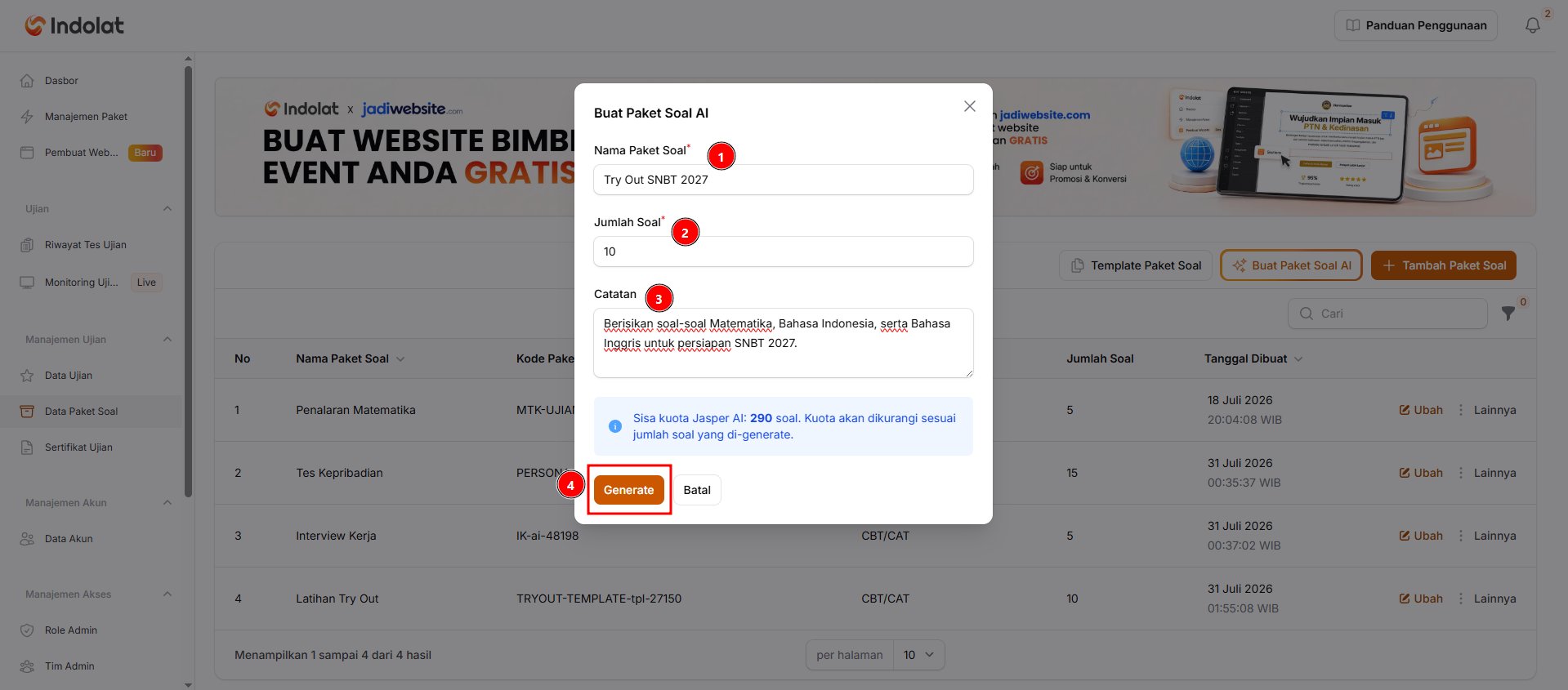
- Fill in Question Package Name. Example: Try Out SNBT 2027
- Fill in Number of Questions with the number of questions you want to generate. Example: 10 questions
The number of questions you enter is deducted from your Jasper AI quota.
- In Notes, describe the questions you need. You can mention the subject, school level, question format or difficulty level. Example: Create Mathematics, Indonesian and English questions for SNBT 2027 preparation.
If several questions share the same reading text, table or case (for example literacy questions or data-based reasoning questions), Jasper AI writes that material once as a passage instead of repeating it in every question. The passage appears in the Passages tab of the question package and is shown above the text of each of its questions during the exam. You can ask for reading-based questions specifically in Notes, for example: Create 3 reading texts, each with 4 comprehension questions.
- Click Generate. The system starts creating the question package; while it runs, the button shows the generation progress. Wait until a notification says the questions were created.
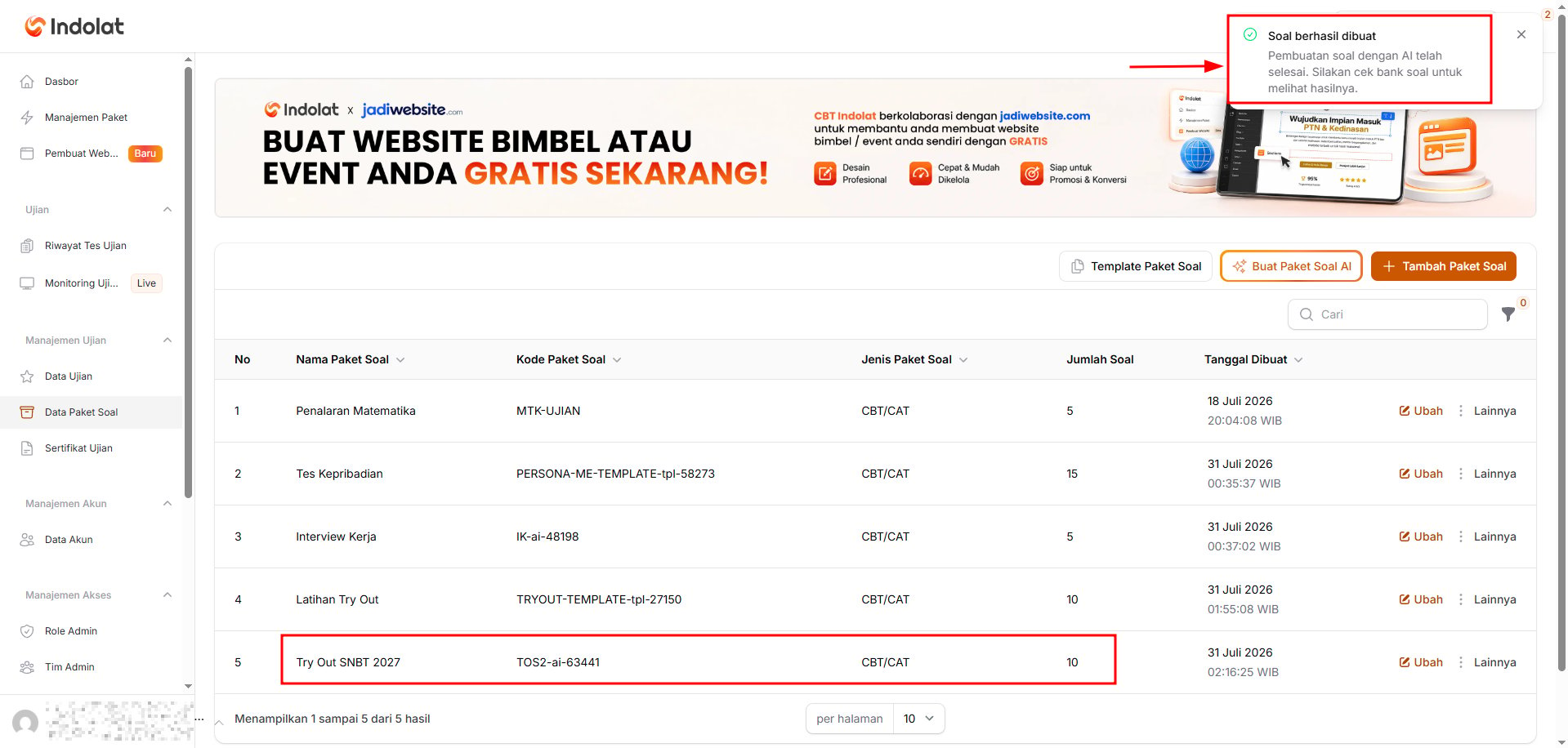
3
Click Edit to check the question package
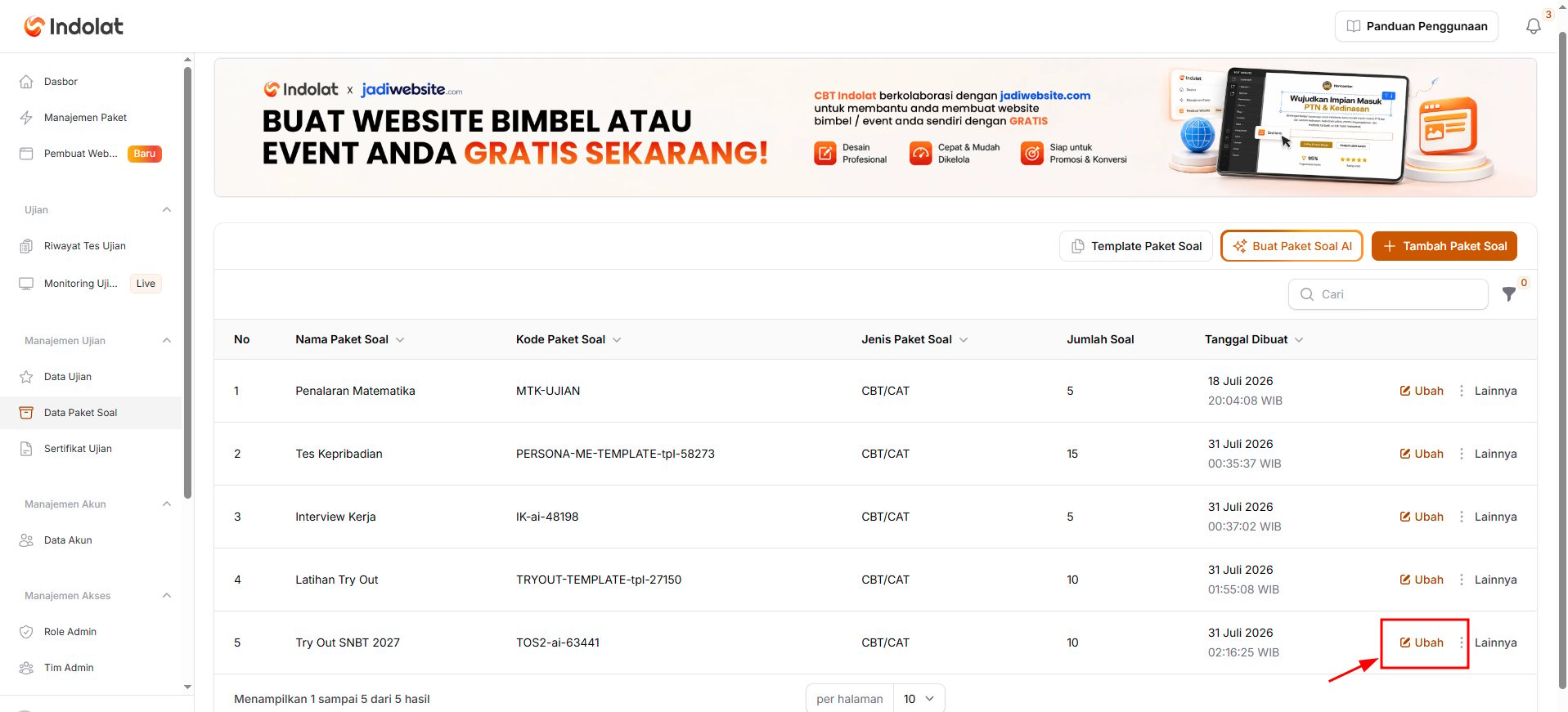
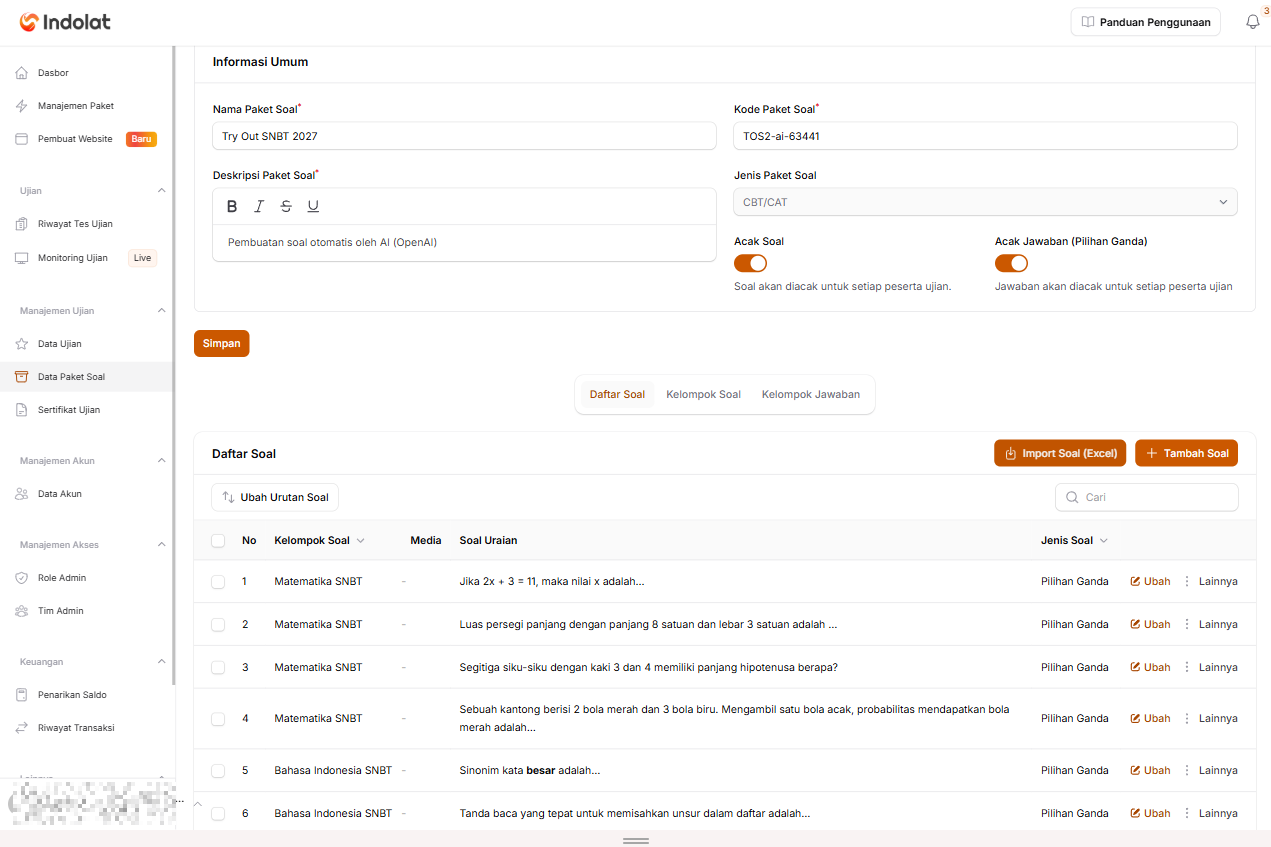
- change the package name or description
- correct the questions or the passage content in the Passages tab
- replace answer options
- change the correct answer
- and add or delete questions.